Thursday, August 9, 2012


PowerAMP Music Player v2.0.5-build-473 Full
Requirements: Android v2.1+
Overview: Poweramp is a powerful music
player for Android.
Key Features:
- plays mp3, mp4/m4a (including alac),
ogg, wma*, flac, wav, ape, wv, tta, mpc,
aiff (* some wma pro files may require
NEON support)
- 10 band optimized graphical equalizer
for all supported formats, presets, custom
presets
- separate Bass and Treble adjustment
- stereo eXpansion, mono mixing, balance
- crossfade
- gapless
- replay gain
- plays songs from folders and from own
library
- dynamic queue
- lyrics support, including lyrics search via
musiXmatch plugin
- embed and standalone .cue files
support
- support for m3u, m3u8, pls, wpl
playlists
- OpenGL based cover art animation
- downloads missing album art
- 4 configurable widget types
- configurable lock screen with optional
Direct Unlock
- headset support, automatic Resume on
headset and/or BT connection (can be
disabled in settings)
- scrobbling
- tag editor
- visual themes, including support for
external/3rd party skins
- fast library scan
- high level of customization via settings
What's in this version:
2.0.5-build-473 (see 1st post for the
links)
- HTC Beats/SRS support
- enabled DSP features are now displayed
under equalizer curve
- Poweramp now reshuffles list on repeat
- fixed few ICS-related Poweramp issues
- multichannel FLACs
- option to search for album art based on
just title/filename
- Korean translation (beta)
- few other bug fixes and stability
improvements
Proper Install note:
1. Install PowerAMP.2.0.4-buil.apk (Don't
run!)(Clear Data)
2. Install PowerAMPunlocker.apk (Don't
run!)
3. Install
PowerAmpPatcher.1.4.by.ChelpuS.apk
(Run and patch!)
4. Run PowerAMP.2.0.4 and wifi enable
and get License Key ;
5. Run Poweramp.2.0.4 and Check License
Status in Options (places without
notification of license = true license)
6. (Dont Clear Data) Install
PowerAMP.2.0.5-buil.apk
7. Run Poweramp.2.0.5 and Check License
Status in Options (places without
notification of license = true license)
8. Uninstall Patch.
Note:
you need login Android market!
All credit to Chelpus
Download Instructions:

Sunday, July 8, 2012
Samsung Galaxy S3 GT-I9300: How to root and flash ClockworkMod Recovery
Doing those could be complicated, not to mention very risky–but not anymore! There is now an easier and faster way to root your device and install Clockworkmod Recovery at the same time. The tool is called CF-Root 6.3.
Just after the release of the new Samsung Galaxy S3, recognized XDA Developers member Chainfire posted a method on how to root the device. The said method was effective enough to root the device, but some users found it very complicated and confusing, not to mention that it didn’t include ClockworkMod Recovery. That earlier method employed flashing an insecure kernel prior to installing root and SuperSU.
This time, Chainfire came up with a new rooting package called CF-Root 6.3, which makes the rooting process easier than the previous one. All you need to do is to flash the package on your phone via Odin and it’s done.
It’s also better because flashing the package also automatically installs ClockworkMod Recovery, SuperSU (root access manager), and the ClockworkMod Recovery Manager app. It’s definitely the most recommended way to gain root access on your Galaxy S3 because it’s faster, easier, and safer.
If you want to flash this package on your phone, see the requirements and instructions below.
Disclaimer
The instructions in this guide are intended for use of Samsung Galaxy S3, model numbers GT-I9300 and GT-I9300T. Applying these instructions on another device or model may produce undesired outcomes.
The information in this guide is provided for instructional and educational purposes only. There is no guarantee that these instructions will work under your specific and unique circumstances.
Use these instructions at your own risk. We shall not hold any responsibility or liability for whatever happens to you or your device arising from your use of the info in this guide.
Read and understand the whole guide first before actually performing the instructions.
Requirements
Samsung Galaxy S3 GT-I9300 or GT-I9300T
A Windows PC
Phone drivers installed on the PC. You can get the drivers by installing Samsung Kies. Or, get them from any of these links: 32 bit(x86)-Windows |64 bit(x64)-Windows .
Enable USB debugging on your phone.
Disable system tools such as firewall program, anti-virus software, and Samsung KIES to avoid interruptions throughout the procedure.
Backup all personal data on your phone to make sure you have a copy of your personal data (e.g., contacts, SMS, MMS, Internet settings, Wi-Fi passwords, and the like) in case the procedure in this guide erases such data.
Make sure that your battery has sufficient power (at least 50%) to avoid interruption due to power loss.
Download the following to your computer.
Odin3 v-1.85 (Odin3-v1.85.zip, 198 kB
Cf-Root 6.3 (CF-Root-SGS3-v6.3.zip, 7.1 MB)
Instructions
Extract CF-Root-SGS3-v6.3.zip to your computer and you will get CF-Root-SGS3-v6.3.tar.
Extract the Odin3-v1.85.zip file into a folder on your computer to get Odin3-v1.85.exe. We recommend you extract it to the Desktop where you can easily find it.
Turn off your phone.
Put your Samsung Galaxy S3 into Download Mode by pressing the Volume Down key, Home button (middle key), and Power button together, then press the Volume Up button right after the screen turns on to finally enter Download Mode.
Connect your Samsung Galaxy S3 to your computer via USB cable.
Go to the folder where you extracted Odin3-v1.85.zip and double-click Odin3-v1.85.exe to launch Odin on your computer. You will know when Odin recognizes your phone if you see an “Added” message in its lower-left message box. If your phone is not recognized, there is something wrong with the installation of the drivers, so disconnect the phone and re-install them.
In Odin, click the PDA button and select the CF-Root-SGS3-v6.3.tar file that you have downloaded earlier.
Under Options, make sure that “Repartition” is not checked.
Click the Start button in Odin3 to flash CF-Root 6.3 on your Samsung Galaxy S3 and wait for it to finish.
Once the flashing is done you will get a “PASS” message with a green background on Odin, indicating that flashing is successful. You may disconnect your phone from the computer at this point.
Your phone will automatically reboot into ClockworkMod Recovery and the rooting procedure will begin, after which your phone will reboot once more into Normal Mode. If the phone doesn’t boot into ClockworkMod Recovery, it’s possible that the rooting process failed. In that case, go through the steps again starting at step 3.
Great! You have successfully rooted your Samsung Galaxy S3 GT-I9300 or GT-I9300T and flashed ClockworkMod Recovery. You can now flash custom ROMs on your phone.
32 bit-Windows-x86
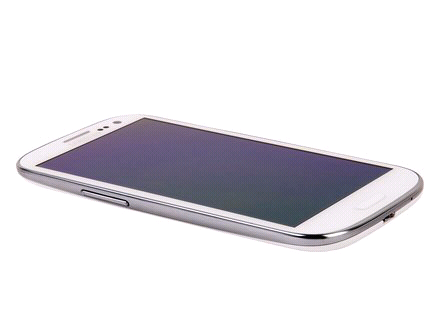
Samsung Galaxy S3 GT-I9300: Flashing CyanogenMod 9 nightly builds
If you want to experience pure ICS with those bloatware apps removed, try installing CyanogenMod 9 on your mobile phone.
CyanogenMod 9 (CM9) is a custom ROM based on Android 4.0 Ice Cream Sandwich with a few modifications on board. Although you can enjoy a pure ICS user interface, the ROM for the Galaxy S3 is still in its nightly build stage and contains a few bugs and issues, such as the FM radio not working, bad voice quality during calls, and not being able to wake the phone using the Volume keys.
Nevertheless, you can still enjoy a pure and enhanced Android OS right on your mobile phone. Read on to learn how to flash the CyanogenMod 9 nightly ROM to your Samsung Galaxy S3 GT-I9300.
Warning
The instructions in this guide are intended for use with the Samsung Galaxy S3, model number GT-I9300. Applying these instructions on another device or model may produce undesired outcomes.
The information in this guide is provided for instructional and educational purposes only. There is no guarantee that these instructions will work under your specific and unique circumstances.
Use these instructions at your own risk. We shall not hold any responsibility or liability for whatever happens to you or your device arising from your use of the info in this guide.
Read and understand the whole guide first before actually performing the instructions.
Requirements
A Samsung Galaxy S3 GT-I9300 with ClockworkMod Recovery installed
Plz visit this link for download/CM9 Rom FLASH instructions and FULL details:
http://ilmgear.com/?p=197
THANKS!

Tuesday, June 5, 2012

Monday, June 4, 2012
Metal Sniffer Metal Detector v0.6.0
Requirements: Android 2.1 +
Overview: This app detects nearby electromagnetic
fields using the phone's built-in
magnetometer/compass. Depending on your
phone,
you can use it to detect metals up to 15cm
away, and magnets from far, far away!
Note that
household equipment like TVs, and computers or
even your phone case can affect readings.
How to use this app?
Very simple, just move the app around and read
the measurements,
if the magnetic field readings go
over a critical level, the phone will vibrate,
meaning
a ferromagnetic material is nearby.
If the readings aren't getting updated,
make sure
your phone is equipped with a magnetometer.
If the readings seems to be off, it means that your
sensors needs to be re-calibrated, click the re-
calibration button (refresh icon) for instructions.
Features:
-Displays the x,y,z components of the field.
-Works through walls! Detect hidden electrical
wires.
-4 Sensor speeds and 3 different units.
-Export the data to a CSV file, make cool charts.
-Vibration alarm
-No Ads
-Option to force screen on to prevent screen from
closing
-A historical chart
-Optimized for Ice Cream Sandwich/Holo theme
-Russian, Spanish and Dutch translations
Notes:
-Works on 2.1 and up!
-Other languages coming soon.
What's in this version:
0.6.0- Added Russian, Spanish and Dutch
translations thanks to .coomb., Hairo and
ViNNNtalik!
Download Instructions:
http://hipfile.com/y56k6dt8eb4q/Meta...0.6.0.zip.html

